Turn the businesses you notice into prospects you can follow up with.

Photograph a storefront, a sign, a card or a flyer. Clues reads the details and keeps the original with the lead. Review the result and correct anything it missed.

Move your light over the board. Illustrated examples, not app screenshots.

From photo to usable prospect.

The case, in three steps
ONE SHOP · ONE LEADIllustrative example
Illustration of a flower shop storefront
Your photo
Illustrative business card from the same flower shop
Your card
Keep them together.

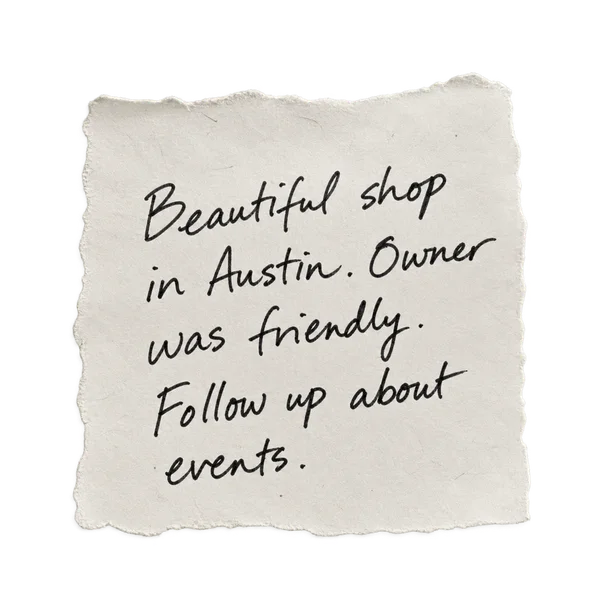
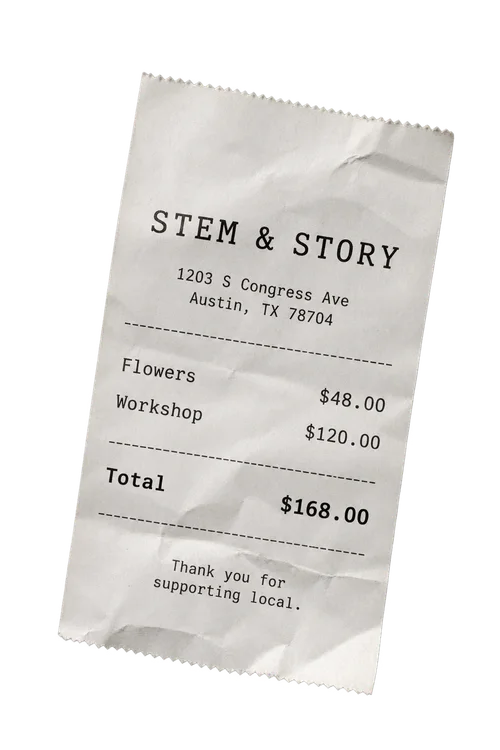
Photo + card + a quick note. Add related images to the same lead.

Same shop.
One capture.

Read it.
Check it.

File it where
you’ll find it.

Stem & StoryNEW LEAD
Websitestemandstory.examplefrom card
Phone(512) 555-0134from card
HoursNot readable yetAdd / correct

Check and correct the details.

2 images stay attached

YOUR GROUP

South Congress walk

✓ Stem & Story

8leads together

Your notes + original images
STEP 1 OF 3 · ADD YOUR IMAGES
1

Add what you noticed.

Upload a storefront photo, business card, flyer or screenshot. Add related images from the same business to one lead, plus a note while the details are fresh. You can also enter a lead by hand.

One business, with its images together.

2

Read it. Check it. Correct it.

Clues pulls out the name and contact details it can read from your images. Compare those details with the original photo or card, edit mistakes and fill in anything missing. Your original images stay attached.

A lead you can review before following up.

3

File it for your follow up.

Save the lead in a group named for your event, trip or territory. Keep the details, images and notes together so you can find them when you are ready to follow up. The approved credit model includes ordinary editing, grouping and export of funded results.

Your leads, organized the way you work.

Follow the lead

Research and discovery.

Basic capture costs 20 credits. Premium capture with research costs 70 total, or add research to a basic capture for 50 more. Finding new contacts costs 100. Review source links and unsupported details.

Research a known business or contact.

Add supported public details like website, listings and hours to a lead you already have. Each one shows its source.

+ website · source linked+ business listing · source linked+ opening hours · source linked

Choose how much help you need.

Classifieds · hover to circle one

Capture

READ WHAT YOU SAW

One submission holds up to ten related images. Review the business and contact details Clues can extract.

Research

FILL IN THE BLANKS

A research run looks up public details for one lead and links every source it used.

Discover

FIND THE RIGHT PERSON

A people search looks for someone in a role you pick at that company.

500 welcome credits once for new verified Toolbox accounts. Basic capture: 20. Premium capture: 70 total. Upgrade: 50. Find new contacts: 100. Clues uses your shared Toolbox balance. Editing, grouping and ordinary exports of funded results use no extra Clues credits.See credit details

Sign in with the same Toolbox account and workspace to use your shared credits. Review the credit price before processing. Compare tools, plans and credit details →

GEEWHIZ TOOLBOX · SHARED CREDITS

One balance for your tools.

Basic capture 20 · Premium capture 70 total · Upgrade 50 · Find new contacts 100. Clues uses your shared Toolbox balance.

A failed Clues request keeps its credits reserved for retry. Retry the same request using its existing reservation, or cancel unfinished work to release its unused credits.

Completed basic extraction costs 20 credits, even if no readable contact is found. Saving several contacts from one submission does not multiply its capture charge.

If basic extraction finished before premium research was cancelled, 20 credits are charged and the remaining 50 are released. Processing already in progress must finish before it can be cancelled.

Free

$0No subscription

500 welcome credits, once.

For new verified accounts. Normal action rates apply from your first run.

Create your account

Enterprise

CustomTalk to us

Custom volume and solutions.

For teams, higher volume and custom work.

Talk to us

Welcome credits never expire. Paid monthly credits roll over through the next billing period, then expire on their original schedule. Cancelling renewal stops future grants and keeps existing credits until their expiry. Choose your plan in Toolbox Billing. There are no standalone credit packs or recurring free allowances.

Compare tools and action prices →


The file

Keep the source and the record together.

Fictional example. Illustrations and sample details are not app screenshots or verified business records.

Every lead holds its original images, editable details, notes, groups and source links. Unsupported details should stay blank. Review extracted and researched details before using them; automated results can be wrong.

Roger in grayscale holding a notebook
Stem & StoryFlorist · Austin, TX · Group: South Congress walk
NEW LEAD
Websitestemandstory.examplefrom storefront Phone(512) 555-0134from card HoursTue to Sun, 10 to 6source 2 OwnerBlank. Not supported yet.no source

Put leads to work.

Export reviewed leads as a CSV for a spreadsheet or CRM, or download a contact file for your address book. Editing, grouping and exporting funded results use no extra Clues credits.

Clues never contacts prospects for you.

CSV fileImport into a compatible spreadsheet or CRM.
Contact fileImport into a compatible contacts app.
Google SheetsWhen connected and available.
Google ContactsWhen connected and available.

Questions for the detective.

What can I capture?

Storefronts, signs, business cards, flyers, listings, notes and screenshots. You can also type details in by hand.

How many images belong to one capture?

A submission can hold up to ten related images, like the card and sign from the same business. The submission shares one capture charge.

What is the difference between research and discovery?

Research adds public details to a lead you already have. Discovery looks for people in a role you choose at that company.

Does Clues send outreach?

No. Clues organizes leads. You decide who to contact and how.

Which integrations are available?

Clues supports CSV and contact file exports, plus Google Sheets and Google Contacts when connected and available. Clues uses your shared Toolbox balance.

Clues is available in your browser, on the App Store for iPhone and iPad, and on Google Play. Store downloads are available in the United States.

Your next lead is already out there.